BatchOut
Batch ExportXuất bản vẽ hàng loạt chất lượng cao sang các định dạng DWG, PDF (file gộp Combined hoặc file đơn lẻ), NWD (Navisworks) và IFC. Hỗ trợ quy tắc đặt tên file nâng cao và quản lý Revision.
Quick Workflow
Khởi chạy BatchOut từ panel Views & Sheets.
Chọn danh sách Sheet hoặc Sheet Set cần xuất bản.
Chọn các định dạng mong muốn: PDF, DWG, NWD, IFC.
Cấu hình quy tắc đặt tên file với các biến placeholder như [Sheet Number], [Sheet Name], [Revision].
Bấm Start Export và theo dõi tiến trình trực quan (có thể tạm dừng Pause hoặc Stop bất cứ lúc nào).
Interface Preview
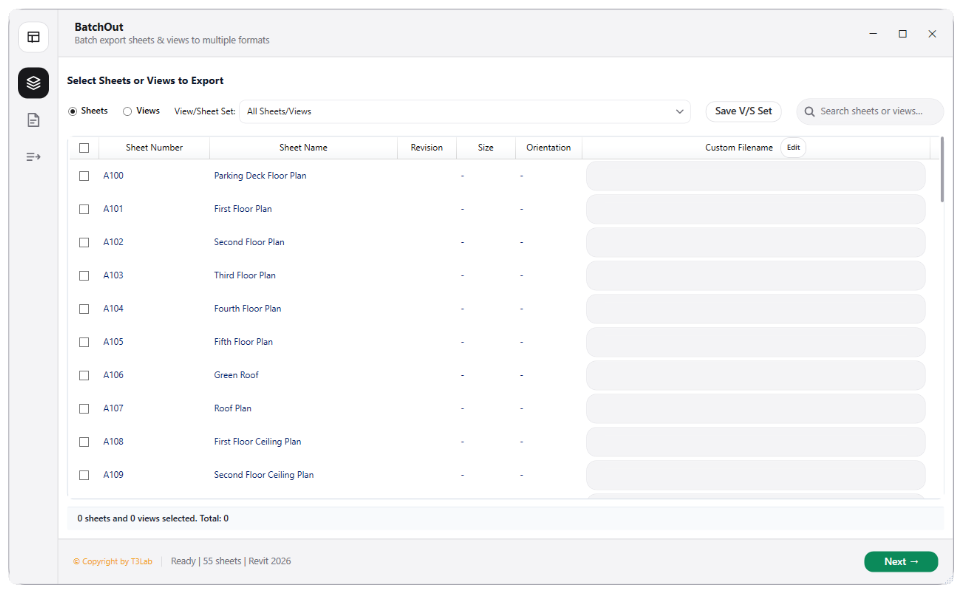
Detailed Documentation
BatchOut - User Guide & Reference
The BatchOut utility (Export category) Highly optimized bulk exporter. Batch-processes Revit sheets and views into PDF, DWG, NWD, and IFC formats. Computes orientation and sheet sizes, parses revision parameters (ISO 19650 compliant), tracks naming rules (e.g., "[Project]-[Discipline]-[SheetNum]-[Rev]"), and handles dynamic folder routing..
1. Overview & Key Capabilities
The BatchOut tool is designed to improve workflow efficiency by automating standard tasks. Key capabilities include:
- Highly optimized bulk exporter.
- Batch-processes Revit sheets and views into PDF, DWG, NWD, and IFC formats.
- Computes orientation and sheet sizes, parses revision parameters (ISO 19650 compliant), tracks naming rules (e.g., "[Project]-[Discipline]-[SheetNum]-[Rev]"), and handles dynamic folder routing.
2. Detailed Step-by-Step Usage
Follow these instructions to use the tool in your active Revit session:
- Launch BatchOut from the Views & Sheets ribbon panel.
- Select sheets/views list (displays sheets with revision data, orientation, size, and drawn/checked names).
- Choose target formats: PDF, DWG, IFC, or NWD.
- Configure filename templates using parameter tokens (e.g. Sheet Number, Revision, Custom strings).
- Define destination paths and click Export to process in a dedicated background thread.
3. Technical Specifications & Under the Hood
Revit API Integration
- Key API Components:
PDFExportOptions,DWGExportOptions, andImageExportOptionsparsing. Background thread handler processes exports without locking UI. - Transaction Handling: All modifications are packaged into a single Revit API transaction. If any error occurs, the changes are rolled back automatically to preserve model integrity.
[!TIP] Best Practice Tip: Configure naming templates using ISO 19650 parameters so generated files are correctly routed into subfolders based on revision codes.