DWG Management
CADCAD imports and links auditor. Identifies all CAD imports vs. links, catalogs file sizes, lists sheet placements, and enables batch deletion or renaming to keep models lightweight.
Quick Workflow
Open DWG Management dialog from the Annotation panel.
Filter by CAD type: Imports Only, Links Only, or All.
Review file sizes, file paths, and active view placements in the table.
Select bloated or unlinked DWG imports and click Delete Selected.
Interface Preview
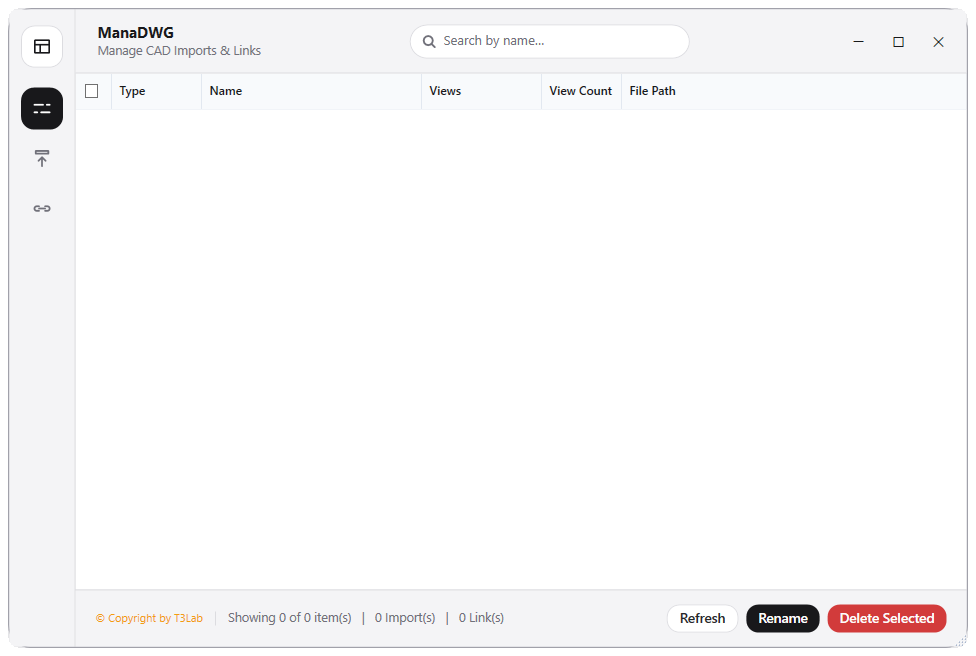
Detailed Documentation
DWG Management - User Guide & Reference
The DWG Management utility (CAD category) CAD imports and links auditor. Identifies all CAD imports (ImportInstance) and links (CADLinkType) in the project, catalogs their file sizes, lists the specific sheet or view names they are placed in, and allows batch renaming or deleting to keep the model clean and performant..
1. Overview & Key Capabilities
The DWG Management tool is designed to improve workflow efficiency by automating standard tasks. Key capabilities include:
- CAD imports and links auditor.
- Identifies all CAD imports (ImportInstance) and links (CADLinkType) in the project, catalogs their file sizes, lists the specific sheet or view names they are placed in, and allows batch renaming or deleting to keep the model clean and performant.
2. Detailed Step-by-Step Usage
Follow these instructions to use the tool in your active Revit session:
- Open the DWG Manager dialog.
- Filter display by CAD type: Imports Only, Links Only, or All.
- Review the details: file paths, file sizes, and view counts of CAD placements.
- Select unnecessary local CAD imports that damage performance (marked with high view counts or large sizes).
- Click Delete Selected to clean up, or rename items directly in the table.
3. Technical Specifications & Under the Hood
Revit API Integration
- Key API Components:
ImportInstanceandCADLinkTypeauditing. Collects external file paths and view specific placement records in the model database. - Transaction Handling: All modifications are packaged into a single Revit API transaction. If any error occurs, the changes are rolled back automatically to preserve model integrity.
[!TIP] Best Practice Tip: Avoid imported CAD instances. Always link CAD files instead of importing them, as imports bloat the file size and corrupt styling variables.