BatchOut
ExportHigh-performance bulk exporter. Batch-processes sheets and views into PDF, DWG, NWD, and IFC formats with ISO 19650 revision naming rules.
Quick Workflow
Launch BatchOut from Views & Sheets panel.
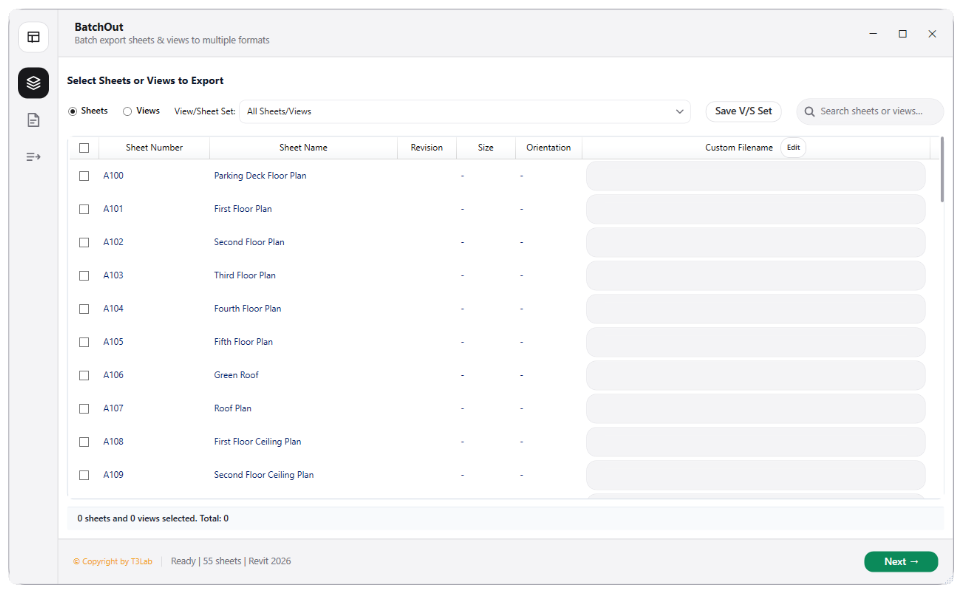
Select sheet set to export (displays sheet size, orientation, and revision).
Choose target formats: PDF, DWG, IFC, or NWD.
Configure filename template tokens and click Export to process in background.
Interface Preview
Detailed Documentation
BatchOut - User Guide & Reference
The BatchOut utility (Export category) Highly optimized bulk exporter. Batch-processes Revit sheets and views into PDF, DWG, NWD, and IFC formats. Computes orientation and sheet sizes, parses revision parameters (ISO 19650 compliant), tracks naming rules (e.g., "[Project]-[Discipline]-[SheetNum]-[Rev]"), and handles dynamic folder routing..
1. Overview & Key Capabilities
The BatchOut tool is designed to improve workflow efficiency by automating standard tasks. Key capabilities include:
- Highly optimized bulk exporter.
- Batch-processes Revit sheets and views into PDF, DWG, NWD, and IFC formats.
- Computes orientation and sheet sizes, parses revision parameters (ISO 19650 compliant), tracks naming rules (e.g., "[Project]-[Discipline]-[SheetNum]-[Rev]"), and handles dynamic folder routing.
2. Detailed Step-by-Step Usage
Follow these instructions to use the tool in your active Revit session:
- Launch BatchOut from the Views & Sheets ribbon panel.
- Select sheets/views list (displays sheets with revision data, orientation, size, and drawn/checked names).
- Choose target formats: PDF, DWG, IFC, or NWD.
- Configure filename templates using parameter tokens (e.g. Sheet Number, Revision, Custom strings).
- Define destination paths and click Export to process in a dedicated background thread.
3. Technical Specifications & Under the Hood
Revit API Integration
- Key API Components:
PDFExportOptions,DWGExportOptions, andImageExportOptionsparsing. Background thread handler processes exports without locking UI. - Transaction Handling: All modifications are packaged into a single Revit API transaction. If any error occurs, the changes are rolled back automatically to preserve model integrity.
[!TIP] Best Practice Tip: Configure naming templates using ISO 19650 parameters so generated files are correctly routed into subfolders based on revision codes.