BCF Reader
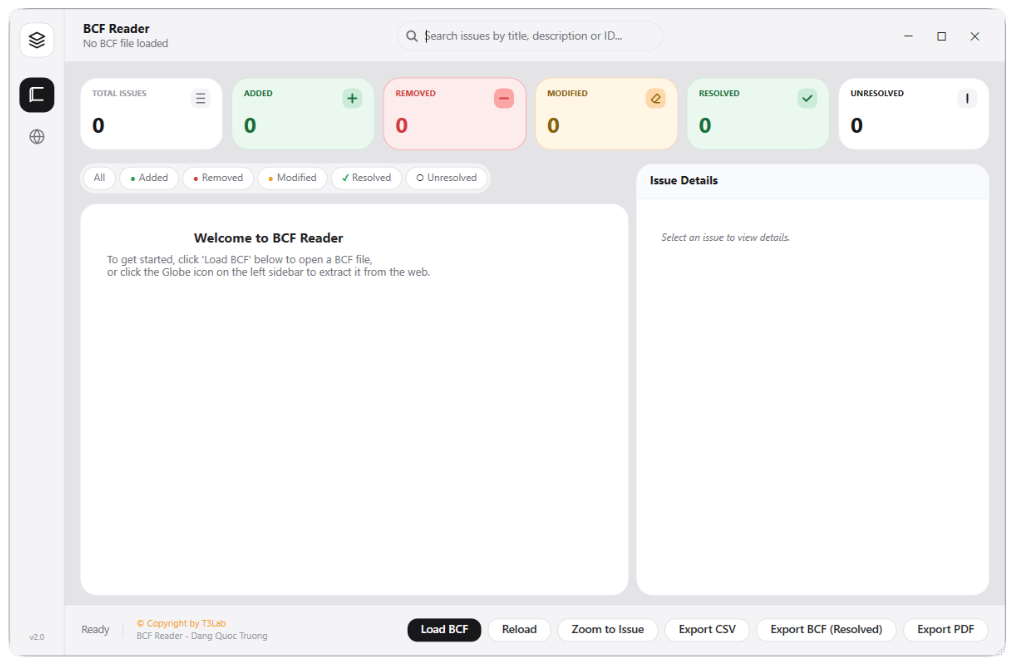
BIM CollabModeless BCF coordination reader. Reads BCF/BCFzip issue packages, displays snapshots and viewpoints, and zooms active 3D views directly to issue coordinates.
Quick Workflow
Launch BCF Reader modeless panel.
Click Load BCF to open a coordination file (.bcf or .bcfzip).
Select an issue from the list to update active Revit view and zoom to coordinates.
Interface Preview
Detailed Documentation
BCF Reader - User Guide & Reference
The BCF Reader utility (BIM Collab category) Modeless BCF/BCFzip file reader. Reads BIM Collaboration Format coordination files, lists issues, details description, and navigates active Revit views directly to the issue 3D coordinates..
1. Overview & Key Capabilities
The BCF Reader tool is designed to improve workflow efficiency by automating standard tasks. Key capabilities include:
- Modeless BCF/BCFzip file reader.
- Reads BIM Collaboration Format coordination files, lists issues, details description, and navigates active Revit views directly to the issue 3D coordinates.
2. Detailed Step-by-Step Usage
Follow these instructions to use the tool in your active Revit session:
- Launch BCF Reader modeless panel.
- Click Load BCF to choose a coordination file (.bcf or .bcfzip).
- Browse issues showing titles, descriptions, and snapshots.
- Select an issue to update the active Revit view and zoom directly to the coordinate location.
3. Technical Specifications & Under the Hood
Revit API Integration
- Key API Components: BCF zip archive decompression, camera viewport orientation mapping (
View3Dparameters: EyePosition, UpDirection, ForwardDirection). - Transaction Handling: All modifications are packaged into a single Revit API transaction. If any error occurs, the changes are rolled back automatically to preserve model integrity.
[!TIP] Best Practice Tip: Double-clicking BCF issues in the reader automatically navigates and aligns your Revit active 3D view to match the coordinator's viewport.