Foundation Volume
AuditStructural volume calculator. Extracts computed concrete volumes from foundations and writes volume values into instance parameters for takeoffs.
Quick Workflow
Select Structural Foundation elements in the active view.
Launch Foundation Volume tool and select target destination parameter.
Click Write Volumes to transfer computed concrete volumes.
Interface Preview
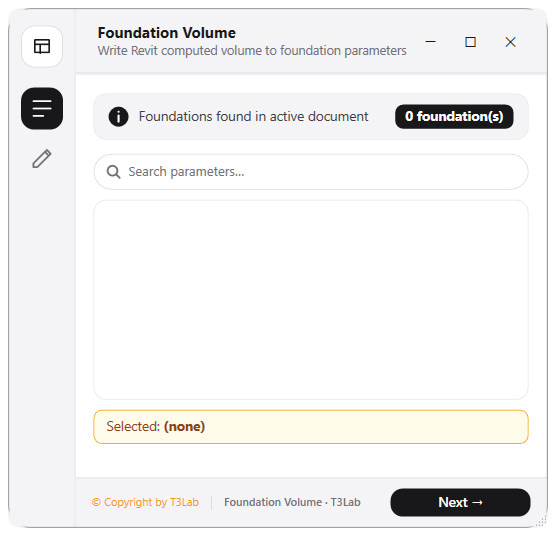
Detailed Documentation
Foundation Volume - User Guide & Reference
The Foundation Volume utility (Audit category) Calculates structural foundation concrete volumes and copies Revit's computed volume parameter (HOST_VOLUME_COMPUTED) to selected custom parameters (e.g. shared parameters) in bulk for scheduling..
1. Overview & Key Capabilities
The Foundation Volume tool is designed to improve workflow efficiency by automating standard tasks. Key capabilities include:
- Calculates structural foundation concrete volumes and copies Revit's computed volume parameter (HOST_VOLUME_COMPUTED) to selected custom parameters (e.g.
- shared parameters) in bulk for scheduling.
2. Detailed Step-by-Step Usage
Follow these instructions to use the tool in your active Revit session:
- Select Structural Foundation elements.
- Launch Foundation Volume tool.
- Choose target destination instance parameter.
- Click Write Volumes to transfer computed volumes to parameters.
3. Technical Specifications & Under the Hood
Revit API Integration
- Key API Components: Revit Warnings API (
doc.GetWarnings()),PerformanceAdviserchecks, andFilteredElementCollectorfor in-place components and empty views/sheets verification. - Transaction Handling: All modifications are packaged into a single Revit API transaction. If any error occurs, the changes are rolled back automatically to preserve model integrity.
[!TIP] Best Practice Tip: Regularly running the Model Auditor prevents performance degradation. Large numbers of warnings and in-place families will slow down model opening and sync times.