RoomToFloor
Floor from RoomTự động tạo sàn kiến trúc hoặc sàn kết cấu bám khít theo đường biên khép kín của các phòng (Rooms), hỗ trợ độ dày offset và chỉ định vật liệu theo loại phòng.
Quick Workflow
Mở view mặt bằng có chứa các Room đã được gán tên.
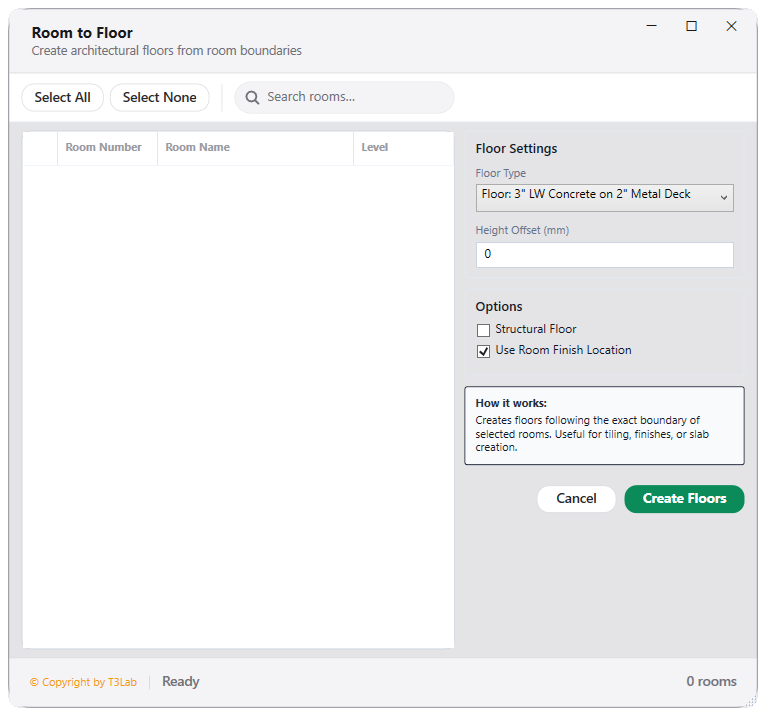
Khởi chạy RoomToFloor, chọn loại sàn cần tạo (Architectural / Structural).
Chọn danh sách các phòng hoặc chọn toàn bộ tầng.
Bấm Create Floors để tạo sàn hoàn thiện tự động bám sát chân tường.
Interface Preview
Detailed Documentation
Room to Floor - User Guide & Reference
The Room to Floor utility (Finishes category) Architectural floor creator. Extracts room boundary curve loops (taking wall finishes, baseboards, or structural centers into account) and automatically generates floor finishes slabs mapping room function to floor type..
1. Overview & Key Capabilities
The Room to Floor tool is designed to improve workflow efficiency by automating standard tasks. Key capabilities include:
- Architectural floor creator.
- Extracts room boundary curve loops (taking wall finishes, baseboards, or structural centers into account) and automatically generates floor finishes slabs mapping room function to floor type.
2. Detailed Step-by-Step Usage
Follow these instructions to use the tool in your active Revit session:
- Open Room to Floor converter.
- Select rooms from the checklist in the active view or project.
- Map room categories to Floor Types (e.g., Toilet Room to Ceramic Floor Finish).
- Configure structural offsets and boundary offsets (e.g. wall centerline or face finishes).
- Click Generate to batch-model floors.
3. Technical Specifications & Under the Hood
Revit API Integration
- Key API Components: Room boundary extraction (
SpatialElementBoundaryOptionsset to finish face), profile offset calculations, and slab creation. - Transaction Handling: All modifications are packaged into a single Revit API transaction. If any error occurs, the changes are rolled back automatically to preserve model integrity.
[!TIP] Best Practice Tip: Use room boundary finishes offsets to automatically account for baseboards and plastering thickness in room finish floor slabs.