Family Generator
FamilySpreadsheet-to-Family builder. Converts structured JSON, CSV, or Excel spreadsheets into Revit family files with automatic type creation and parameter binding.
Quick Workflow
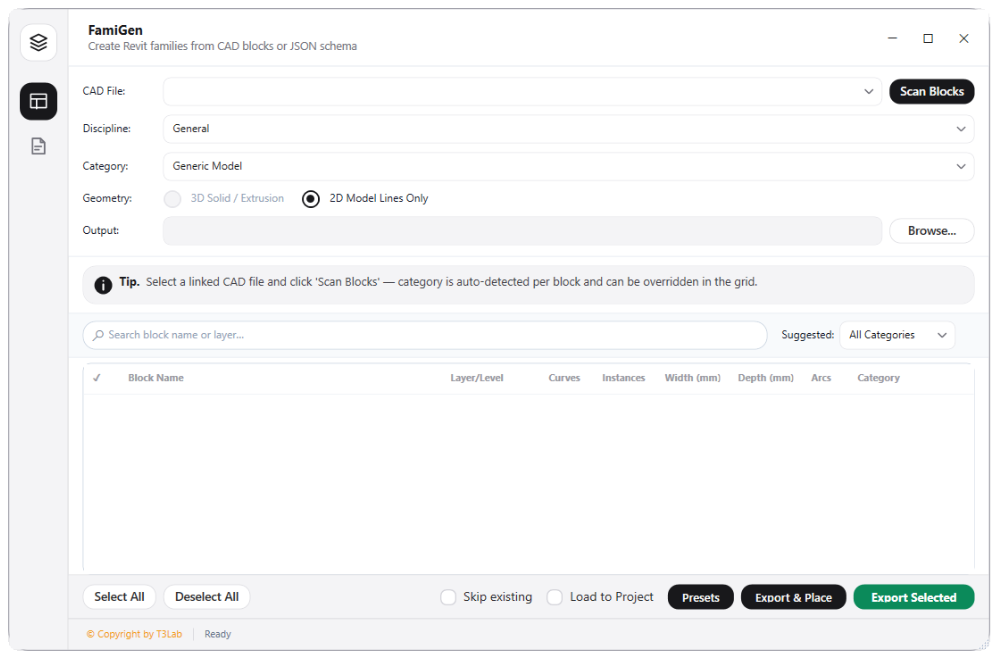
Open Family Generator wizard and select a template family (.rfa).
Upload your Excel spreadsheet mapping parameter names and values.
Bind spreadsheet columns to target family parameters.
Click Generate Types to batch-create family files and type catalogs.
Interface Preview
Detailed Documentation
Family Generator - User Guide & Reference
The Family Generator utility (Family category) Spreadsheet-to-Family catalog builder. Converts structured data tables (JSON, CSV, or Excel spreadsheets) into Revit family files by automating type creation, parameter binding, and catalog generation..
1. Overview & Key Capabilities
The Family Generator tool is designed to improve workflow efficiency by automating standard tasks. Key capabilities include:
- Spreadsheet-to-Family catalog builder.
- Converts structured data tables (JSON, CSV, or Excel spreadsheets) into Revit family files by automating type creation, parameter binding, and catalog generation.
2. Detailed Step-by-Step Usage
Follow these instructions to use the tool in your active Revit session:
- Open Family Generator wizard.
- Select a template family file (.rfa).
- Upload your JSON configuration or Excel spreadsheet mapping parameters and values.
- Bind columns to family parameters.
- Click Generate Types to batch-create family files or nested family types.
3. Technical Specifications & Under the Hood
Revit API Integration
- Key API Components:
FamilyandFamilySymbolcollections parsing, family size footprint analysis, and bulk loading throughdoc.LoadFamilyinterfaces. - Transaction Handling: All modifications are packaged into a single Revit API transaction. If any error occurs, the changes are rolled back automatically to preserve model integrity.
[!TIP] Best Practice Tip: Delete unused type configurations inside the family manager to purge redundant geometry and keep the project file footprint small.