Point Cloud to Model
Scan-BIMScan-to-BIM wizard. Analyzes point cloud datasets, detects planar wall segments, slabs, and column clusters, and constructs native Revit elements in a single transaction.
Quick Workflow
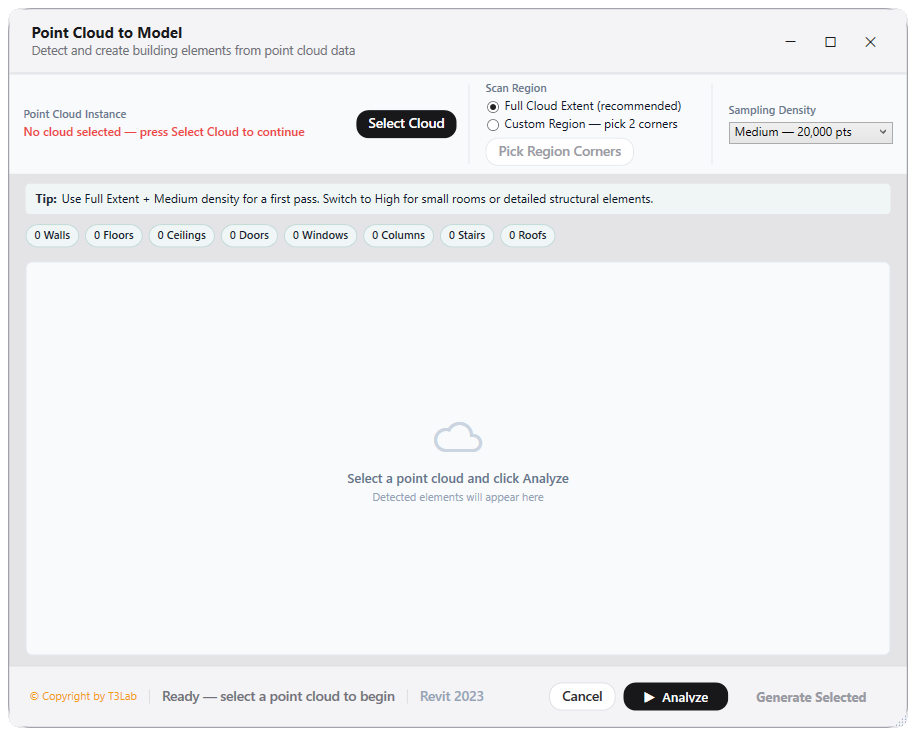
Select a point cloud instance in a 3D view.
Open Point Cloud to Model and define scan bounding region.
Set target categories, detection tolerances, and active level bounds.
Click Detect Elements to preview candidates, then click Create Model.
Interface Preview
Detailed Documentation
Point Cloud to Model - User Guide & Reference
The Point Cloud to Model utility (Scan-BIM category) Scan-to-BIM wizard. Extracts point cloud datasets, detects walls, floor slabs, ceilings, door/window openings, columns, and stairs from point groups, and creates native Revit elements inside a single transaction group..
1. Overview & Key Capabilities
The Point Cloud to Model tool is designed to improve workflow efficiency by automating standard tasks. Key capabilities include:
- Scan-to-BIM wizard.
- Extracts point cloud datasets, detects walls, floor slabs, ceilings, door/window openings, columns, and stairs from point groups, and creates native Revit elements inside a single transaction group.
2. Detailed Step-by-Step Usage
Follow these instructions to use the tool in your active Revit session:
- Select a point cloud instance in a 3D view.
- Launch Point Cloud to Model tool.
- Define scan bounds and target categories (Walls, Columns, Floor planes).
- Set parameters: scan tolerance, element types, and active levels.
- Click Detect elements to highlight candidate geometries.
- Click Create Model to generate elements automatically.
3. Technical Specifications & Under the Hood
Revit API Integration
- Key API Components: Point cloud point selection (
PointCloudInstance.GetPoints), plane extraction, and bounding box element generation in transactions. - Transaction Handling: All modifications are packaged into a single Revit API transaction. If any error occurs, the changes are rolled back automatically to preserve model integrity.
[!TIP] Best Practice Tip: Filter point cloud density to run faster element detection. Confirm detected wall thickness with actual scans before building walls.