Family Manager
FamilyUnified Family browser and manager. Displays loaded family libraries, audits type parameters, catalogs file footprints, and enables batch reloading from repositories.
Quick Workflow
Launch Family Manager to browse loaded project families.
Filter by discipline, audit parameter completeness, and check file sizes.
Select families from local or server folders to batch load or update.
Interface Preview
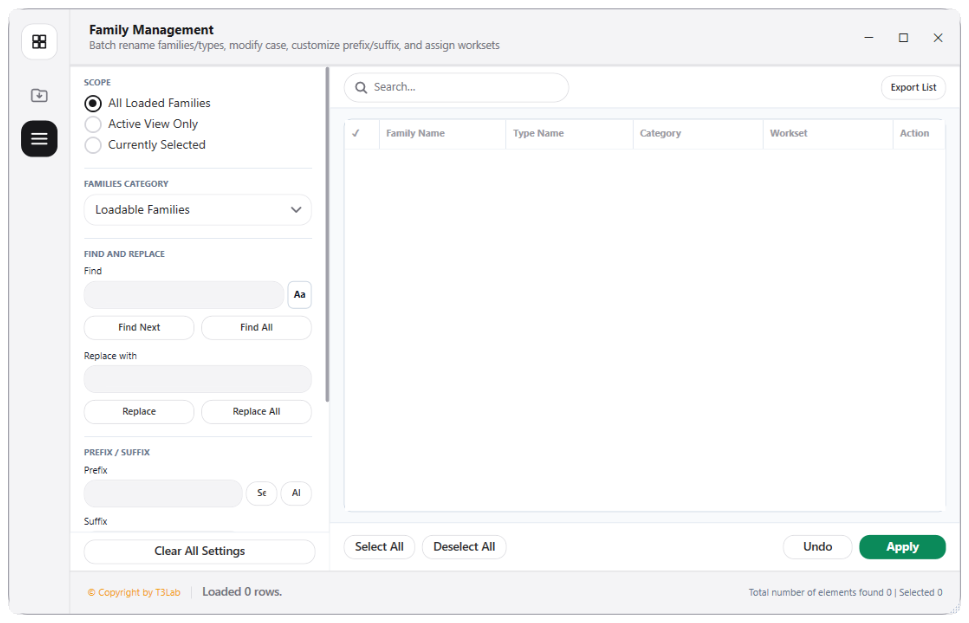
Detailed Documentation
Family Manager - User Guide & Reference
The Family Manager utility (Family category) Unified Family browser and manager. Displays loaded family libraries, audits type parameters, catalogs family file footprints, and enables loading or reloading families from a central repository..
1. Overview & Key Capabilities
The Family Manager tool is designed to improve workflow efficiency by automating standard tasks. Key capabilities include:
- Unified Family browser and manager.
- Displays loaded family libraries, audits type parameters, catalogs family file footprints, and enables loading or reloading families from a central repository.
2. Detailed Step-by-Step Usage
Follow these instructions to use the tool in your active Revit session:
- Launch Family Manager.
- Browse loaded families categorized by Revit disciplines.
- Verify family parameter completeness and check file size (purging bloated families).
- Select family files from local or server folders to batch-load or update.
3. Technical Specifications & Under the Hood
Revit API Integration
- Key API Components:
FamilyandFamilySymbolcollections parsing, family size footprint analysis, and bulk loading throughdoc.LoadFamilyinterfaces. - Transaction Handling: All modifications are packaged into a single Revit API transaction. If any error occurs, the changes are rolled back automatically to preserve model integrity.
[!TIP] Best Practice Tip: Delete unused type configurations inside the family manager to purge redundant geometry and keep the project file footprint small.